BlogOperations
5 Signs Your monday.com Setup Is Costing You Time
Too many boards, statuses nobody trusts, double data entry? Five signs your monday.com setup needs a tune-up, and how to fix each one.
Most monday.com accounts we review weren’t built badly. They grew. A board for one client, a copy for the next one, an automation someone added on a Friday afternoon. Two years later, the tool everyone was excited about feels like one more place to update.
The good news: you rarely need to start over. These are the five signs we see most often, and how to fix each one.
1. Nobody is sure which board is the real one
What it looks like: “Sales 2025”, “Sales 2025 (copy)”, “Sales Ana”, “Sales NEW”. People search before they work, and two boards say different things about the same deal.
Why it happens: copying a board feels faster than deciding how the process should work.
The fix: one main board per process. Use groups, views and filters to separate clients, years or people, not copies. Archive the rest, and use connected boards when two processes need to talk to each other.
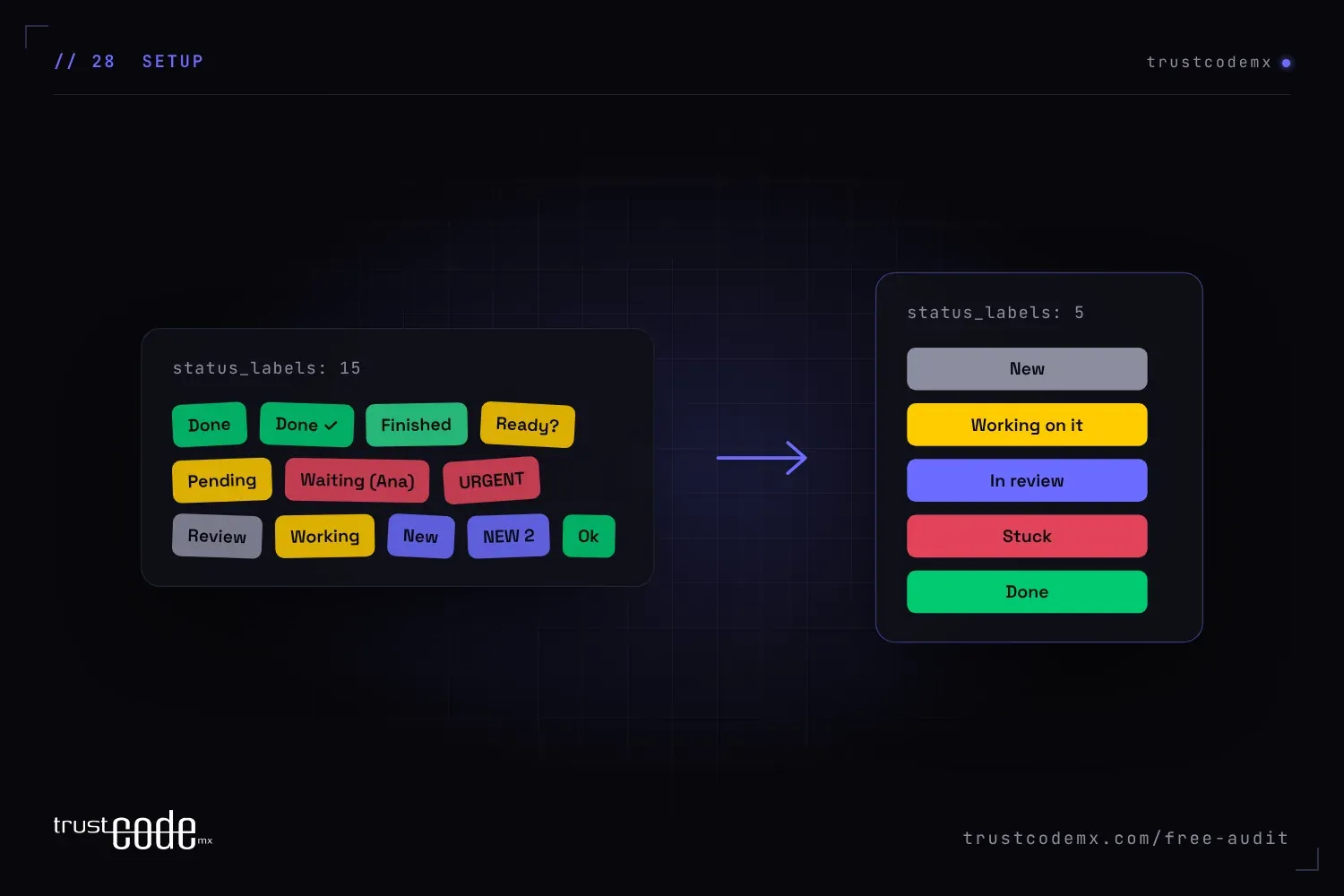
2. Your status column has fifteen labels
What it looks like: “Done”, “Done ✓”, “Finished”, “Ready?”, “Waiting on client (Ana)”. Every report built on that column means nothing.
Why it happens: anyone can add a label, so everyone does.
The fix: five to seven statuses that match the real stages of the process, each with a one-line definition everyone agrees on. One person approves any new label.
3. The work happens on WhatsApp, and monday gets updated later (or never)
What it looks like: someone copies information from chats and emails into monday at the end of the day. monday has become a report about the work instead of the place where the work happens.
Why it happens: information comes in through channels that aren’t connected to the board.
The fix: capture information where it starts. Forms that create items, email integrations, and automations that move work forward without anyone typing it twice.
4. Notifications are so noisy everyone muted them
What it looks like: “I didn’t see it.” People get dozens of alerts a day, so they ignore all of them, including the important ones.
Why it happens: automations get added over time, and nobody removes the ones that stopped making sense.
The fix: review every automation. Each one should notify the person who has to act, not the whole team. If nobody can explain what an automation does, turn it off and see who notices. It also matters for cost: depending on your plan, automations and integrations have a monthly limit of actions.
5. Leadership still asks for an Excel every Monday
What it looks like: there are dashboards, but nobody opens them. Someone still exports data and builds a spreadsheet for the weekly meeting.
Why it happens: the dashboards were built around what the tool can show, not around the questions leadership actually asks. And the data underneath is incomplete.
The fix: start from the three or four questions the owner asks every week, and build the dashboard to answer exactly those. Make the fields that feed it required at the right stage. Then run the weekly meeting from monday itself.
Fix it or rebuild it?
If you recognize one or two of these signs, fix them one by one. If you recognize four or five, and your team avoids the tool, it’s usually faster to rebuild the structure around how your team really works, and move your data into it, than to keep patching.
Not sure where your account stands?
In a free audit, we review your current monday.com setup and tell you what to fix first, in order of impact.
Frequently asked questions
How often should we review our monday.com setup?
Every quarter, and any time a process changes: a new service, a new team, a new person in charge.
Do we need a more expensive plan to fix this?
Usually not. Most of these problems are structure, not features. Check your plan’s automation limits before adding more automations, though.
Can we fix this ourselves?
Signs 1 and 2 are often fixable in a focused afternoon. Signs 3 to 5 usually need someone to map the process first.